I still remember the sinking feeling in my gut last Tuesday when I saw a notification for a $1,200 charge from a retailer I’ve never even heard of. My heart did that weird, frantic little skip, and for a second, I felt like a complete amateur. It’s incredibly frustrating because we’re constantly told that staying safe online requires some expensive, high-tech fortress of software, but that’s just not the reality. Most of the time, learning how to protect yourself from fraud isn’t about buying the latest shiny gadget; it’s about recognizing the subtle, messy patterns that scammers use to trip us up in our everyday lives.
I’m not here to sell you on a subscription service or overwhelm you with technical jargon that sounds like it was written by a robot. Instead, I want to share the practical, battle-tested strategies I’ve gathered from my own digital hiccups and years of managing complex projects. We’re going to break this down into simple, actionable steps—think of it like prepping a recipe before you turn on the heat—so you can navigate the digital world with actual confidence. Let’s get your digital house in order, without the headache.
Table of Contents
Recognizing Phishing Attempts Before They Strike

Think of a phishing attempt like a “too good to be true” recipe. You know that feeling when a cookbook promises a five-star soufflé in three minutes with zero effort? Your gut tells you something is off, right? Phishing works the exact same way. Scammers send these digital lures—emails, texts, or even DM’s—that are designed to look like they’re coming from your bank or a trusted tech company. They’re trying to bait you into clicking a link that leads to a fake login page. One of the most common online scam red flags is that sudden, frantic sense of urgency. If an email claims your account will be deleted in twenty minutes unless you “verify your identity” immediately, take a breath. That’s not a service update; that’s a trap.
Instead of clicking, I’ve learned to play detective. I always hover my mouse over any links to see where they’re actually leading before I commit. If the URL looks like a jumbled mess of random letters, steer clear. When it comes to protecting sensitive personal information, the golden rule is to go directly to the source. If your “bank” sends a weird text, don’t use the link in the message. Close the app, open your browser, and log in through the official website instead. It takes an extra ten seconds, but it’s a total game-changer for your peace of mind.
Common Online Scam Red Flags to Watch for

Think of these scams like a recipe gone wrong—at first, it looks like a delicious meal, but one wrong ingredient and the whole thing turns bitter. One of the biggest common online scam red flags is that sense of manufactured urgency. If you get an email or a text claiming your account will be deleted in thirty minutes unless you “verify your identity” immediately, take a breath. Scammers love to rush you because they know panic makes us skip the logic part of our brains. They want you to act before you think, much like trying to whip up a soufflé while the oven is still cold.
Another huge red flag is anything that feels “too good to be true,” like an unexpected windfall or a job offer that pays five figures for ten hours of work a week. These are often just elaborate setups for identity theft prevention tips to go out the window. If a site asks for your Social Security number or your banking credentials just to “confirm a prize,” close that tab immediately. Staying vigilant about protecting sensitive personal information is the best way to ensure you aren’t accidentally serving yourself up on a silver platter to a digital thief.
Locking Down Your Digital Life: 5 Proactive Moves to Make Today
- Treat your passwords like a secret family recipe—don’t share them, and don’t use the same one for everything. If you’re still using “Password123” for your bank and your Netflix, we need to talk. Grab a password manager; it’s like having a digital sous-chef that remembers all the complicated stuff so you don’t have to.
- Turn on Multi-Factor Authentication (MFA) everywhere you can. Think of it as the double-lock on your front door. Even if a scammer manages to snag your key (your password), they’re still going to get stuck at the second deadbolt because they don’t have that extra code sent to your phone.
- Keep your software updated, and I mean actually do it. Those annoying “Update Available” pop-ups are basically digital patches for holes in your armor. Skipping them is like leaving your kitchen window unlocked overnight and hoping for the best—eventually, someone’s going to notice.
- Be skeptical of “urgent” requests for money or info. Scammers love to turn up the heat to make you panic, much like a chef cranking the stove to high to rush a dish. If an email or text says your account will be deleted in ten minutes unless you click a link, take a deep breath. Real companies don’t operate like that.
- Monitor your bank statements like you’re checking the ingredients on a nutrition label. Take five minutes every week to scan your transactions for anything that looks even slightly “off.” Catching a tiny, unauthorized $5 charge now can prevent a massive, headache-inducing drain on your savings later.
Quick Wins for Your Digital Defense
Trust your gut—if an email or text feels like it’s trying to rush you into a panic, it’s probably a trap.
Layer your security by using unique, strong passwords and turning on multi-factor authentication for every important account you own.
Treat your personal information like a secret family recipe; don’t go handing out the ingredients to anyone who asks unexpectedly.
The Golden Rule of Digital Safety
“Think of your personal data like a secret family recipe; you wouldn’t just hand it out to every stranger who knocks on your door claiming they want to help you cook, so don’t give your passwords or PINs to anyone online just because they’ve put on a convincing chef’s hat.”
Morgan Bennett
Staying One Step Ahead
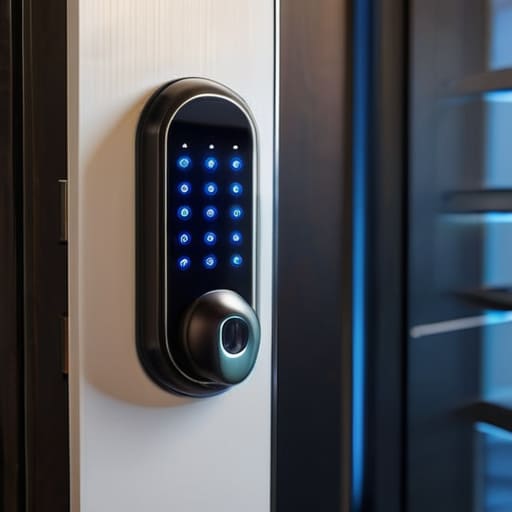
At the end of the day, protecting yourself from fraud isn’t about becoming a paranoid tech expert; it’s about building a solid foundation of digital hygiene. We’ve talked about spotting those sneaky phishing emails, recognizing the red flags of online scams, and keeping a sharp eye on anything that feels just a little bit “off.” Think of it like prepping a complex recipe—if you double-check your ingredients and follow the basic steps, you’re much less likely to end up with a kitchen disaster. By implementing these simple, proactive habits, you’re essentially putting a high-quality lock on your digital front door, making you a much harder target for scammers to crack.
I know that the sheer scale of digital threats can feel a bit overwhelming sometimes, but please don’t let it discourage you from exploring the tech and tools that make modern life so convenient. We don’t have to live in fear; we just have to live with intention. Remember, knowledge is your greatest defense. Every time you pause to verify a link or question an unexpected request, you are winning. Stay curious, stay vigilant, and keep moving forward with confidence. We’re all navigating this digital minefield together, one smart decision at a time.
Frequently Asked Questions
What should I actually do if I realize I've already clicked a suspicious link or shared my info?
Don’t panic—take a deep breath. Think of this like realizing you accidentally left the stove on; you need to act fast to prevent a fire. First, disconnect your device from the internet to stop any data bleeding. Immediately change your passwords (from a different, clean device!) and contact your bank to freeze your cards. It’s a bit of a scramble, but tackling these steps right away is the best way to minimize the damage.
Are there specific tools or apps you actually recommend for keeping an eye on my accounts without overcomplicating things?
Look, I’m a big believer in “set it and forget it.” You don’t need a massive security suite that feels like a second job. Honestly, the best tool is the one already in your pocket: your banking app. Turn on push notifications for every single transaction—it’s like having a tiny security guard texting you every time someone buys a latte on your dime. For everything else, a solid password manager like Bitwarden is a total game-changer.
How can I tell if a phone call is a legitimate company calling me or just a clever scammer?
Think of a suspicious call like a recipe with one weird, off-tasting ingredient—your gut usually knows something’s up. If a caller claims to be from your bank but asks for your PIN or demands immediate payment via gift cards, hang up. That’s a massive red flag. The safest move? Hang up, find the company’s official number on your actual statement or their website, and call them back yourself. Better safe than sorry!
