Have you ever sat down to whip up a quick graphic for a side hustle or a social media post, only to realize that every “free” software you find is actually just a glorified trial version hidden behind a massive paywall? It’s incredibly frustrating. It feels like trying to bake a gourmet cake only to realize the store is charging you fifty bucks just to borrow a whisk. We live in a world that demands high-quality visuals, yet the cost of professional software can feel like a massive barrier to entry for anyone just trying to get their ideas out there. I’ve spent way too many hours clicking through endless pop-ups, searching for the best free design tools that actually deliver on their promises without draining your bank account.
The good news? You don’t need a corporate budget to make something that looks like it was crafted by a pro. In this guide, I’ve hand-picked five powerhouse resources that will help you bridge that gap between “amateur attempt” and “polished masterpiece.” Whether you’re looking to master layout, color, or typography, these picks are the secret ingredients you need to fuel your creativity. Let’s dive in and find the tools that will actually work for you.
Table of Contents
- Canva: The All-in-One Kitchen Appliance
- Figma: The Collaborative Masterpiece
- GIMP: The Gritty, Powerful Workhorse
- Inkscape: Precision Cutting for Vector Magic
- Unsplash: The Secret Ingredient for Visuals
- The Bottom Line: Designing on a Budget
- The Secret Ingredient to Great Design
- Ready to Start Creating?
- Frequently Asked Questions
Canva: The All-in-One Kitchen Appliance
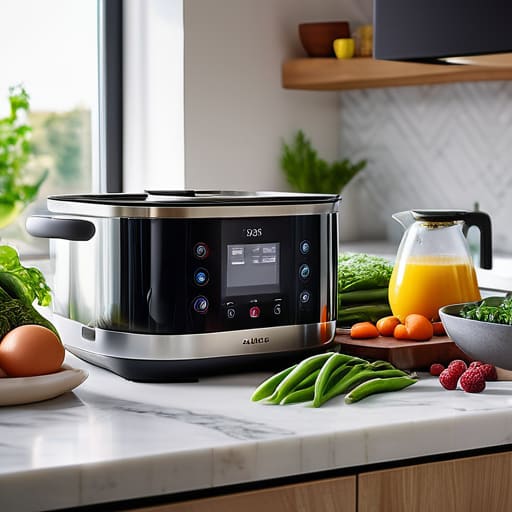
If I had to compare design tools to a kitchen, Canva is like that high-end multi-cooker that does everything from steaming veggies to making yogurt. You don’t need to be a professional chef (or a trained graphic designer) to whip up something that looks delicious. It’s packed with templates that take the guesswork out of layouts, making it perfect for when you need to create a quick social media post or a flyer for a community event without pulling your hair out.
Figma: The Collaborative Masterpiece
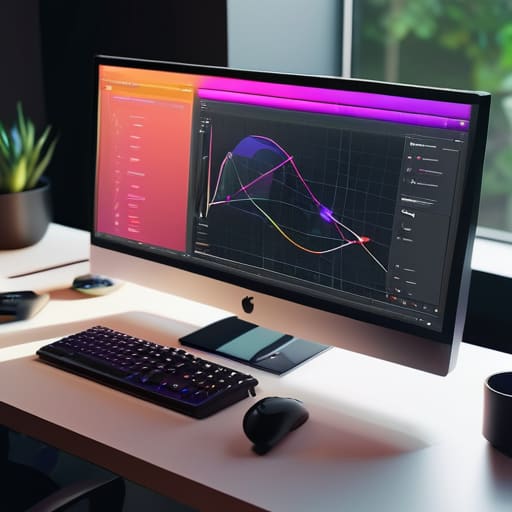
Now, if Canva is your reliable kitchen appliance, Figma is like having a professional-grade sous-chef who is always ready to collaborate. It’s primarily a tool for UI/UX design, but I’ve found it to be an absolute powerhouse for anyone trying to map out a digital project or a complex presentation. The magic happens in the real-time collaboration; you can see your friends or colleagues moving their cursors around the canvas as if you were all sitting at the same table.
GIMP: The Gritty, Powerful Workhorse

Let’s talk about GIMP for a second. If you’re looking for the “old reliable” that doesn’t care about aesthetics but cares deeply about raw power, this is it. It’s the open-source answer to Photoshop, and while it might not have the slickest user interface, it packs a serious punch when it comes to photo manipulation and complex editing. It’s a bit like a heavy-duty cast iron skillet—it takes some seasoning and practice to master, but once you do, it’s virtually indestructible.
Inkscape: Precision Cutting for Vector Magic
Inkscape: Precision Cutting for Vector Magic
Sometimes, you don’t want to edit a photo; you want to build something from scratch, like a logo or a custom icon. That’s where Inkscape steps in. Think of it as your digital precision knife for vector graphics. Unlike standard image editors that can get “crunchy” or pixelated when you resize them, Inkscape uses math to keep your lines crisp and clean no matter how large you scale them up.
Unsplash: The Secret Ingredient for Visuals
You can have the best recipe in the world, but if your ingredients are subpar, the meal just won’t sing. In the world of design, your “ingredients” are your images. Unsplash is essentially the world’s best pantry for high-resolution, beautiful photography. Instead of using those cheesy, dated stock photos that everyone recognizes, Unsplash gives you access to stunning, authentic imagery that makes your projects look instantly more expensive.
The Bottom Line: Designing on a Budget
You don’t need a massive monthly subscription to create professional-looking work; it’s all about picking the right tool for the specific “ingredient” you’re trying to add to your project.
Don’t get paralyzed by choice—start with one tool, master its basics, and treat it like a foundational recipe before moving on to more complex software.
The best design tool isn’t the most expensive one, it’s the one that actually gets your ideas out of your head and onto the screen without causing a massive headache.
The Secret Ingredient to Great Design
“Think of free design tools like a pantry full of basic ingredients—flour, eggs, and sugar. They might not be the fancy, pre-made gourmet meals you see in high-end ads, but if you know how to mix them together, you can whip up something absolutely spectacular without spending a dime.”
Morgan Bennett
Ready to Start Creating?
At the end of the day, building a beautiful brand or a killer social media feed shouldn’t feel like you’re trying to bake a five-tier wedding cake without an oven. We’ve looked at a handful of heavy hitters today, from the intuitive drag-and-drop magic of Canva to the professional-grade precision of GIMP and Inkscape. Whether you need to whip up a quick graphic for a side hustle or dive deep into a complex vector project, the right tool is out there waiting for you. The goal isn’t to own the most expensive software suite on the market; it’s about finding that perfect digital toolkit that actually fits your specific workflow and budget.
If I’ve learned anything from my years in project management, it’s that the best tools in the world won’t matter if you don’t actually use them. Don’t get paralyzed by “analysis paralysis” trying to pick the absolute best one right out of the gate. Think of these free tools like ingredients in a pantry—you don’t need the most expensive saffron to make a delicious meal; you just need to know how to use what you have. So, pick one, roll up your sleeves, and start making something awesome today. I can’t wait to see what you build!
Frequently Asked Questions
Are these free tools actually powerful enough for professional projects, or are they just glorified versions of basic apps?
Look, I get the skepticism. It’s like wondering if a home-cooked meal can actually hold up against a restaurant dish. The short answer? Absolutely. While these tools might lack some of the heavy-duty, enterprise-level “secret sauce” found in expensive software, they are far from toys. If you know how to use them, you can produce professional-grade results that would make a seasoned pro double-take. It’s less about the price tag and more about your technique.
Do I need a high-end computer to run these programs, or can I get away with using an older laptop or even a tablet?
Honestly, don’t sweat it. You don’t need a top-of-the-line MacBook Pro just to get started. Think of it like baking: you don’t need a professional industrial oven to whip up a killer batch of cookies; a standard kitchen setup works just fine. Most of these tools are web-based, meaning they do the heavy lifting in the cloud. An older laptop or even a decent tablet will handle them beautifully!
If I use the free versions, am I going to run into annoying watermarks or legal issues when I try to share my work online?
That’s a fair concern—nobody wants their hard work looking like a messy draft with a giant logo slapped right in the middle. Honestly, most of the tools I recommend are “freemium,” meaning they’re great for getting started without watermarks. However, always peek at the fine print regarding “commercial use.” If you’re just posting to Instagram, you’re usually golden, but if you’re launching a side hustle, let’s make sure you’re legally covered first.
