I was standing in my living room at 11:00 PM, staring blankly at three different apps on my phone, trying to figure out why my “smart” lightbulb refused to talk to my hub. It felt less like a high-tech upgrade and more like trying to follow a complex sourdough recipe without any measurements—just a lot of expensive ingredients and zero results. Most people think that learning how to set up a smart home requires a degree in computer science or a massive bank account, but that’s a total myth. In reality, it’s less about buying every gadget on the shelf and more about building a cohesive ecosystem that actually serves your lifestyle instead of adding to your digital clutter.
I’ve spent way too many weekends tinkering with sensors and hubs so that you don’t have to, and I’m here to pull back the curtain. This guide isn’t about flashy, useless tech; it’s a practical roadmap designed to help you automate the boring stuff and reclaim your time. We’re going to walk through everything from choosing a reliable foundation to integrating devices that actually work together. Let’s stop fighting with our tech and start making our homes work for us.
Table of Contents
- Step-by-Step Instructions
- Choosing the Best Smart Home Hubs 2024 for Stability
- Solving Smart Home Ecosystem Compatibility Once and for All
- Five Pro-Tips to Keep Your Smart Home from Becoming a Tech Headache
- The Smart Home Cheat Sheet: My Top 3 Lessons Learned
- The Secret Ingredient to a Smart Home
- Bringing It All Together
- Frequently Asked Questions
Guide Overview
Tools & Supplies
- Smartphone (to install control apps)
- Wi-Fi Router (to provide network connectivity)
- Screwdriver (for mounting hardware or switches)
- Smart Hub (1 unit)
- Smart Bulbs (3-5 units)
- Smart Plugs (2-3 units)
- Voice Assistant Speaker (1 unit)
Step-by-Step Instructions
- 1. First things first, you’ve got to map out your goals before you go out and buy every shiny gadget on the shelf. Think of this like planning a dinner party; you wouldn’t buy a massive industrial sous-vide machine if you’re just trying to make a simple grilled cheese, right? Decide if you want to focus on security, saving money on energy, or just making your morning routine a little less chaotic. Having a clear north star prevents you from ending up with a drawer full of expensive tech that doesn’t actually talk to each other.
- 2. Next, you need to pick your “brain”—the ecosystem that will act as the conductor for your digital orchestra. You’ve got the big players like Amazon Alexa, Google Assistant, or Apple HomeKit, and honestly, it’s a bit like choosing a base for a pizza. Once you pick your crust, it’s much easier to decide on the toppings. I personally lean toward whatever integrates most seamlessly with the devices you already own, so check your current phone and existing smart speakers before making a commitment.
- 3. Now, let’s talk about your Wi-Fi, because let’s be real: a smart home is only as smart as its connection. If your router is tucked away in a dusty corner of the basement, your smart bulbs are going to struggle more than a burnt soufflé. If you’re planning on adding more than a handful of devices, I highly recommend looking into a mesh Wi-Fi system. It spreads the signal evenly throughout your house, ensuring your smart locks and cameras stay online and responsive without constant hiccups.
- 4. Start small with your first “win” by investing in a few smart plugs or a couple of smart bulbs. This is the “appetizer” phase of your smart home journey. Smart plugs are absolute game-changers because they can turn any “dumb” device—like that old floor lamp or your coffee maker—into something controllable from your phone. It gives you that immediate sense of satisfaction and helps you get used to managing things through an app without breaking the bank.
- 5. Once you’ve got the hang of the basics, move on to more specialized hardware like smart thermostats or security cameras. A smart thermostat is like a chef who knows exactly when to turn down the heat to save you money while keeping the meal perfect. It learns your patterns and adjusts itself, which is a massive win for your utility bill. Just make sure whatever you buy is compatible with the ecosystem you chose back in step two!
- 6. As your collection grows, it’s time to get creative with “automations” or “scenes.” This is where the magic actually happens and the tech starts feeling like a personal assistant rather than just a remote control. You can set a “Good Morning” scene that slowly raises the lights, starts your coffee, and reads you the weather. It’s all about removing friction from your daily life so you can focus on the things that actually matter.
- 7. Finally, don’t forget about the “cleanup” phase: security and maintenance. Every time you add a new device, you’re essentially opening a tiny new door into your digital life, so make sure you use strong, unique passwords and enable two-factor authentication whenever possible. Think of it like keeping your kitchen clean while you cook; if you let the mess pile up, eventually, things are going to go wrong. Keep your firmware updated, and your smart home will run like a well-oiled machine.
Choosing the Best Smart Home Hubs 2024 for Stability
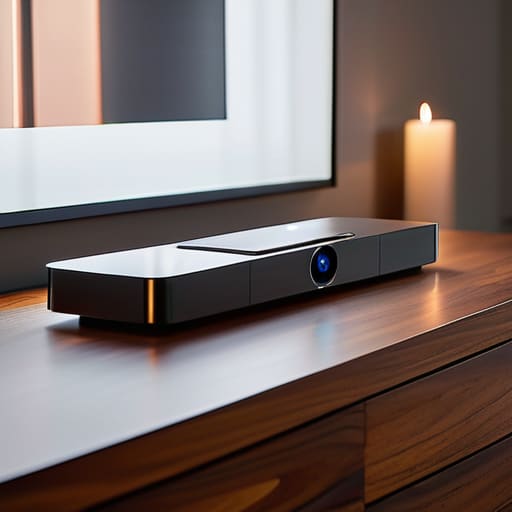
Think of your smart home hub as the head chef in a busy kitchen. You can have the finest ingredients—the smartest bulbs, the slickest locks, and the coolest cameras—but if the chef can’t coordinate the timing, you’re going to end up with a chaotic mess instead of a gourmet meal. When you’re hunting for the best smart home hubs 2024 has to offer, you aren’t just looking for a shiny gadget; you’re looking for the “brain” that keeps everything from crashing when you walk through the door.
The biggest pitfall I see is ignoring smart home ecosystem compatibility. It’s tempting to grab a random, cheap sensor on sale, but if it doesn’t speak the same language as your hub, it’s basically a paperweight. I always recommend checking if a hub supports protocols like Matter or Thread. This ensures that as you grow your setup, your new gadgets won’t feel like a guest at a dinner party who refuses to speak the local language. Aim for a hub that offers seamless integration so your tech works for you, not the other way around.
Solving Smart Home Ecosystem Compatibility Once and for All
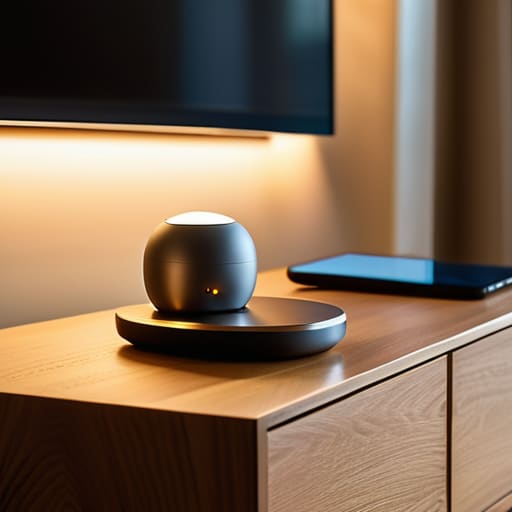
Now, let’s talk about the elephant in the room: compatibility. I’ve definitely been there—buying a high-tech smart plug only to realize it refuses to talk to my existing setup. It’s like trying to follow a gourmet Italian recipe but realizing you only have soy sauce instead of balsamic vinegar; the flavors just don’t mesh. To avoid this frustration, you need to prioritize smart home ecosystem compatibility before you hit that “buy” button. Always check if a device supports universal standards like Matter or Thread. These are essentially the “common languages” of the tech world, ensuring your new gadget can actually chat with your current devices without a massive headache.
Another pro tip is to think about your connectivity backbone. Even the most expensive gear will struggle if your network is weak. When you’re connecting IoT devices to wifi, try to offload as many as possible to a dedicated 2.4GHz band or a mesh system. This prevents your smart lights from hogging all the bandwidth needed for your work calls. Think of your Wi-Fi like a highway; if every single smart bulb is a semi-truck, you’re going to have a massive traffic jam.
Five Pro-Tips to Keep Your Smart Home from Becoming a Tech Headache
- Don’t try to cook the whole feast at once. Just like you wouldn’t throw every ingredient into a pot without tasting it first, don’t buy twenty smart bulbs on day one. Start with one or two devices—maybe a smart plug or a single bulb—to see how they play with your existing Wi-Fi before you commit to a full-scale overhaul.
- Prioritize your Wi-Fi’s “stamina.” Think of your router like the kitchen stove in a busy restaurant; if it’s overloaded, everything slows down. If you’re planning on adding more than a handful of devices, consider investing in a Mesh Wi-Fi system so your smart locks and cameras aren’t fighting for scraps of signal in the far corners of your house.
- Map out your “automation recipes” before you build them. It’s tempting to just buy gadgets, but real magic happens when they talk to each other. Decide ahead of time: “When my phone connects to the home Wi-Fi at 6 PM, I want the hallway lights to dim.” Having a plan prevents you from ending up with a collection of expensive paperweights that don’t actually do anything.
- Security isn’t an optional garnish; it’s the foundation. Before you plug anything in, make sure you’re changing those default passwords. Treat your smart devices like your front door—you wouldn’t leave it unlocked just because it looks nice, so don’t leave your smart camera’s security settings on “factory default.”
- Embrace the “Manual Override” rule. There is nothing more frustrating than being stuck in a dark house because your internet went down or an app decided to update. Always ensure your smart switches or lights can still be operated by hand. A smart home should serve you, not make you feel like a prisoner to your own technology!
The Smart Home Cheat Sheet: My Top 3 Lessons Learned
Start small and focus on one room at a time; trying to automate your entire house in a single weekend is like trying to cook a five-course gourmet meal when you haven’t even mastered boiling water yet.
Prioritize compatibility over cool gadgets; it doesn’t matter how fancy a device is if it refuses to talk to your existing hub, so always check those ecosystem requirements before hitting “buy.”
Invest in a solid hub from the jump; a reliable central brain is the secret ingredient that keeps your smart ecosystem running smoothly instead of turning your home into a chaotic mess of disconnected apps.
The Secret Ingredient to a Smart Home
“Think of setting up a smart home like perfecting a complex sourdough recipe; if you rush the fermentation or throw in too many random ingredients at once, the whole thing collapses. Start with a solid base, ensure your components actually work together, and remember that the goal isn’t just to have gadgets—it’s to create a kitchen that actually helps you cook better.”
Morgan Bennett
Bringing It All Together
Building a smart home isn’t about buying every shiny new gadget on the market; it’s about creating a system that actually serves you. We’ve walked through the heavy lifting—from selecting a reliable hub that acts as your digital kitchen timer to ensuring all your devices actually speak the same language. Remember, the goal is to reduce friction in your daily routine, not add more tech-induced headaches to your plate. If you’ve focused on stability and compatibility, you’ve already done the hardest part of the recipe. Now, it’s just about fine-tuning the ingredients until your home feels as intuitive as it is intelligent.
As you start plugging things in and automating your lights or thermostat, don’t feel like you have to do it all in one weekend. Think of it like a slow-cooked stew; it’s much better when you let the flavors develop over time. Start small, see what sticks, and don’t be afraid to pivot if a certain setup doesn’t feel quite right. At the end of the day, your home should be your sanctuary, a place that works for you rather than the other way around. You’ve got the tools and the roadmap, so go ahead and start building that smarter, simpler life you deserve.
Frequently Asked Questions
Will adding all these smart devices actually slow down my home Wi-Fi or make my Netflix buffering?
It’s the million-dollar question: is your smart home going to turn your Netflix binge into a buffering nightmare? Honestly, it can, but usually not because of the devices themselves. Think of your Wi-Fi like a highway; adding smart plugs is like adding a few bicycles, but a dozen high-def cameras are like heavy-duty semi-trucks. If your router is old, it’ll struggle. Invest in a mesh system, and you’ll keep those lanes wide open.
Is it worth splurging on high-end smart gear right away, or should I just start with a few cheap gadgets to see if I actually use them?
Honestly? Think of it like testing out a new recipe. You wouldn’t buy a $500 truffle oil before you even know if you like cooking Italian, right? I’m a big believer in the “slow simmer” approach. Start with a few affordable, reliable gadgets—maybe a smart plug or a single bulb. See how they actually fit into your rhythm. Once you’ve mastered the basics, then you can start investing in the fancy stuff.
How do I keep my smart home secure so I'm not basically inviting hackers to sit down for dinner in my living room?
Think of your smart home security like seasoning a dish: you don’t want to go overboard, but you definitely can’t skip it. First, change those default passwords immediately—leaving them as “admin” is like leaving your front door wide open with a “Welcome” mat. Next, enable two-factor authentication whenever possible. It’s that extra layer of protection that keeps uninvited guests out of your digital kitchen. Lastly, keep your firmware updated to patch those pesky vulnerabilities.
