Have you ever sat through a Zoom meeting, staring at your own tiny square in the corner, and felt like you were being viewed through a layer of Vaseline? I’ve been there—staring back at a grainy, dimly lit version of myself that looked more like a tired ghost than a professional project manager. It’s frustrating because we’re told that mastering how to look better on video calls requires a thousand-dollar studio setup or a professional ring light that makes you look like you’re being interrogated by the FBI. Honestly, that’s just expensive noise, and most of those high-end “influencer” tips are totally overkill for real life.
I’m not here to sell you on a lifestyle overhaul or a massive tech budget. Instead, I want to share the practical, no-nonsense tweaks I’ve learned from years of navigating the corporate grind and tinkering with my own home setup. We’re going to focus on simple, high-impact adjustments to your lighting, angles, and environment that actually work. My goal is to help you show up to your next meeting feeling confident and present, without needing a degree in cinematography to do it.
Table of Contents
Optimizing Your Professional Webcam Lighting Setup
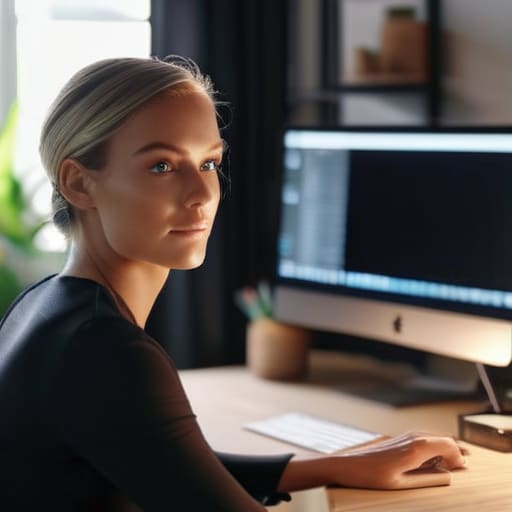
Think of your lighting like the seasoning in a good chili; you don’t want it to overpower the dish, but if you leave it out entirely, everything just tastes… flat. When it comes to a professional webcam lighting setup, the biggest mistake I see people making is relying solely on that harsh overhead light in their ceiling. It creates these deep, raccoon-like shadows under your eyes that make you look like you haven’t slept since the 2010s. Instead, try to find a soft light source—like a window or a simple desk lamp—and position it slightly to the side or directly behind your monitor. This helps fill in those shadows and gives your face a much more natural, approachable glow.
If you’re feeling a bit more adventurous, you can even experiment with a ring light to ensure even illumination across your features. This is a total game-changer for enhancing webcam resolution, as your camera doesn’t have to struggle to “find” you in a dark room, resulting in a much crisper image. Just remember: it’s not about being under a spotlight; it’s about finding that sweet spot where you look clear, bright, and ready to tackle the day.
Finding the Best Camera Angles for Remote Work
Now that we’ve got your lighting sorted—and you aren’t looking like you’re filming a scene from a noir thriller—let’s talk about the actual positioning of your gear. If you’ve ever been on a call where you’re staring directly up someone’s nostrils, you know exactly what I mean. It’s awkward, it’s unflattering, and it’s a total vibe killer. Finding the best camera angles for remote work is a lot like plating a gourmet dish; if the presentation is off, it doesn’t matter how good the ingredients are. You want your camera at eye level. If you’re working from a laptop, grab a stack of thick textbooks or a dedicated stand to prop it up. This simple tweak prevents that “looking down at the world” perspective and makes you feel much more engaged and present in the conversation.
While you’re adjusting that height, take a quick peek at what’s behind you. You want to ensure you aren’t accidentally framing a messy pile of laundry or a distracting hallway. By minimizing background distractions, you keep the focus exactly where it belongs: on you. Aim for a clean, intentional backdrop that adds a touch of personality without turning your meeting into a scavenger hunt for your coworkers.
The Finishing Touches: Small Tweaks for a Major Upgrade
- Let’s talk about your background. You don’t need a professional studio, but a cluttered bookshelf or a pile of laundry in the corner is a huge distraction. Think of your background like a garnish on a plate—it should complement the main course (you!), not overwhelm it. A simple, tidy space or even a subtle virtual blur goes a long way in keeping the focus where it belongs.
- Don’t underestimate the power of a little “digital polish.” Most video platforms have a “touch up my appearance” setting that acts like a very subtle filter. It’s not about looking like a CGI character; it’s just about smoothing out those harsh shadows or uneven skin tones so you feel a bit more polished and less like you just rolled out of bed.
- Audio is arguably more important than video. You can have 4K resolution, but if you sound like you’re broadcasting from inside a tin can, people are going to tune out. If you can, grab a decent pair of earbuds or a dedicated USB mic. It’s like the difference between a grainy YouTube clip and a high-fidelity podcast—clear sound makes you much easier to listen to.
- Dress for the vibe of the meeting. I’m not saying you need a full suit and tie while sitting in your sweatpants (though, let’s be honest, we’ve all been there), but a quick wardrobe check matters. Wearing a solid-colored shirt that contrasts with your background prevents you from looking like a floating head. It’s a simple way to signal that you’re present and ready to engage.
- Finally, remember to actually look at the lens. It sounds silly, but when we look at the people on our screens, it feels like we’re looking down to them. If you occasionally glance directly into that tiny camera hole, it creates that “eye contact” magic that makes your interactions feel much more personal and authentic.
The Quick Cheat Sheet for Your Next Call
Stop fighting your environment and start working with it; a simple shift in where your light hits or where your camera sits can be the difference between looking like a grainy ghost and feeling like the pro you actually are.
Think of your setup like a good sourdough starter—it doesn’t need to be perfect or expensive right away, but it does need the right basic ingredients (light, angle, and a bit of intention) to really rise.
Remember that looking better on screen isn’t just about vanity; when you look prepared and present, you actually feel more confident, which makes those high-stakes meetings a whole lot easier to navigate.
The Secret Sauce to Video Presence
“Think of your video setup like a good sourdough starter; you don’t need a massive, expensive industrial oven to get great results, you just need the right balance of light and angle to let your real personality rise to the surface.”
Morgan Bennett
Bringing It All Together
At the end of the day, looking better on video calls isn’t about having a Hollywood-grade studio or a thousand-dollar lens. It’s really just about the small, intentional tweaks that make a massive difference. We’ve talked about how a little bit of strategic lighting can stop you from looking like a shadowy figure in a basement, and how finding that perfect camera angle can help you feel more engaged and present rather than just staring down at your laptop. Think of these adjustments like seasoning a dish; you don’t need a whole new pantry, you just need to get the proportions right so the final result actually tastes good.
I know that shifting from a traditional office to a digital one can feel a bit unnatural sometimes, but I promise you, these small wins add up. When you look and feel prepared, your confidence naturally follows, and that’s what people are actually going to notice on the other side of the screen. Don’t get caught up in perfectionism—just start with one small change today and see how it feels. You’ve got this, and I can’t wait to hear how these simple upgrades transform your next big meeting. Let’s keep crushing those digital connections together!
Frequently Asked Questions
How can I make my video calls look better if I'm stuck working in a tiny room with zero natural light?
Look, we’ve all been there—stuck in a windowless “office” that’s actually just a glorified closet. When natural light is off the menu, think of your lighting like seasoning a dish: you need layers. Don’t just rely on that harsh overhead light (it’s the culinary equivalent of dumping salt directly from the shaker). Instead, grab a cheap ring light or even a desk lamp with a warm bulb to create soft, even light in front of you.
Are there any quick, low-budget background fixes to stop my messy living room from becoming a distraction?
Look, we’ve all been there—you’re mid-sentence and suddenly you notice that pile of laundry looking like a mountain in the background. It’s a total vibe killer. If you can’t tidy up, don’t sweat it. Try a simple depth trick: pull your desk away from the wall to create some natural blur. Or, grab a cheap, neutral-colored bedsheet and drape it over a tension rod. It’s like adding a clean garnish to a messy dish—instant polish!
What’s the best way to deal with that awkward "grainy" video look without spending a fortune on a new camera?
Think of a grainy video like a recipe where you’ve skimped on the butter—it just lacks that smooth, rich texture. That “noise” usually happens because your webcam is starving for light. Before you drop hundreds on a new lens, try opening your blinds or grabbing a cheap desk lamp. By flooding your space with more light, you’re essentially giving your camera the “ingredients” it needs to produce a crisp, clean image without the digital fuzz.
