Ever had that sinking feeling in your gut when you’re staring at a “Login Failed” screen for the fifth time, realizing you’ve completely forgotten which variation of your childhood dog’s name you used for your bank account? I’ve been there, usually at 11:00 PM when I’m just trying to pay a bill and get to sleep. We’ve been told that digital security has to be this massive, intimidating chore, but honestly, the biggest myth is that you need to be a tech wizard to stay safe. Learning how to use a password manager isn’t about becoming a cybersecurity expert; it’s about reclaiming your mental bandwidth so you can stop playing the world’s most frustrating guessing game every single morning.
I’m not here to sell you on some expensive, bloated software suite that requires a PhD to navigate. Instead, I want to give you the straight talk on how to set this up so it actually works for your real, messy life. I’ll walk you through my own personal workflow—the same one I use to keep my smart home and finances secure—to show you how to automate the boring stuff. My goal is to provide a no-nonsense roadmap that turns a digital headache into a set-it-and-forget-it solution.
Table of Contents
- Master Password Security Protecting Your Digital Key
- Storing Login Credentials Safely for Everyday Peace of Mind
- 5 Pro Tips to Level Up Your Digital Security Game
- The Bottom Line: Making Your Digital Life a Little Easier
- The Secret Sauce to Digital Peace of Mind
- Taking Control of Your Digital Keys
- Frequently Asked Questions
Master Password Security Protecting Your Digital Key

Think of your master password as the “secret sauce” in a complex recipe. If that one ingredient is weak or easily guessed, the whole dish is ruined. Since this single password unlocks your entire vault of stored login credentials, you can’t afford to treat it like your childhood dog’s name or your birthday. I always tell people to aim for a “passphrase” rather than a traditional password. Instead of something like P@ssword123, try a string of four or five random, unrelated words—like purple-toaster-mountain-bicycle. It’s much harder for a computer to crack, but surprisingly easy for your human brain to visualize and remember.
Once you’ve crafted this digital powerhouse, you need to add a second layer of defense. This is where two-factor authentication setup becomes your absolute best friend. By linking your password manager to an app on your phone or a physical security key, you’re essentially adding a deadbolt to your front door. Even if someone somehow manages to guess your master key, they still won’t be able to get in without that second verification. It might feel like an extra step at first, but it’s one of those essential digital security tips that provides massive peace of mind.
Storing Login Credentials Safely for Everyday Peace of Mind
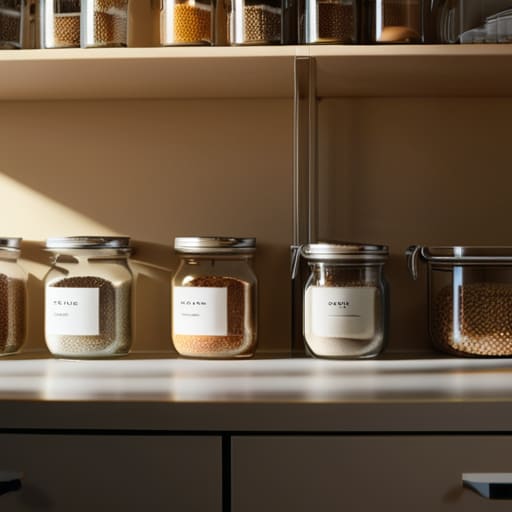
Once you’ve got that master password locked down, it’s time to actually get your data into the vault. Think of it like moving from a messy, disorganized pantry where you can never find the salt, to a perfectly labeled spice rack where everything is exactly where it should be. When you start storing login credentials safely within your manager, you’re essentially offloading the mental heavy lifting. Instead of trying to recall that one obscure password you made for a random shopping site in 2019, you just let the software do the heavy lifting for you.
To make this transition seamless, I highly recommend installing a password manager browser extension. It’s a total game-changer for your daily workflow. As you navigate through different sites, the extension will automatically recognize the login fields and offer to fill them in or suggest a brand-new, ultra-secure password. It’s much like having a sous-chef standing by; you focus on the main meal, and they handle the tedious chopping in the background. This small tweak is one of those simple digital security tips that saves you massive amounts of frustration every single week.
5 Pro Tips to Level Up Your Digital Security Game
- Treat your master password like a secret family recipe—it’s the one thing you never share, and it needs to be strong enough that no one can guess the ingredients.
- Enable Two-Factor Authentication (2FA) on your manager immediately; it’s like adding a deadbolt to your digital front door for that extra layer of protection.
- Don’t just dump everything in at once; start by migrating your most sensitive accounts—like banking and primary email—to get the momentum going.
- Use the built-in password generator to create “nonsense” strings of characters; think of it as letting a professional chef prep your ingredients so you don’t have to struggle with the basics.
- Audit your stored logins every few months to prune out old, unused accounts, keeping your digital pantry organized and clutter-free.
The Bottom Line: Making Your Digital Life a Little Easier
Think of your password manager as your personal digital sous-chef; it handles all the tedious, repetitive prep work of remembering complex strings of characters so you can focus on the main course of your day.
Don’t just set it and forget it—treat your master password like the secret ingredient in a family recipe; keep it incredibly strong, unique, and tucked away somewhere only you know.
Start small by migrating your most important accounts first, and before you know it, you’ll have a streamlined, stress-free system that makes digital security feel like second nature.
The Secret Sauce to Digital Peace of Mind
“Think of a password manager like a master chef’s organized pantry; instead of frantically hunting for ingredients while the stove is on high, you’ve got everything prepped, labeled, and ready to go exactly when you need it.”
Morgan Bennett
Taking Control of Your Digital Keys

At the end of the day, setting up a password manager is a lot like prepping your kitchen before a big holiday dinner. You wouldn’t start cooking without having your spices organized and your tools ready, right? By securing that master password, organizing your logins, and letting the software handle the heavy lifting of generating complex strings, you’ve effectively cleared the clutter from your digital life. You’ve moved away from the “password123” chaos and toward a system that is both robust and incredibly easy to manage. It’s about building a foundation that keeps your personal data safe while saving you those precious minutes of frustration every time you try to log into a site.
I know that shifting your habits can feel a bit daunting at first—it’s like trying a new recipe when you’ve been making the same thing for years. But I promise you, once you get into the rhythm of it, you’ll wonder how you ever lived without it. This isn’t just about cybersecurity; it’s about reclaiming your mental bandwidth. When you stop worrying about forgotten credentials, you free up space to focus on the things that actually matter. So, take that first step today, embrace the tech, and breathe a little easier knowing your digital world is finally under control. You’ve got this!
Frequently Asked Questions
What happens if I forget my master password—am I totally locked out of everything?
Ouch, the dreaded “forgotten master password” scenario. It’s like losing the key to your own safe. Honestly? If you haven’t set up a recovery method, it can be a real headache—and in many cases, yes, you might be locked out. It’s the ultimate digital trade-off for that high-level security. That’s why I always recommend writing your master password down and tucking it away in a physical spot, like a fireproof box, before you hit “save.”
Is it actually safe to store all my sensitive info in one place, or am I just putting all my eggs in one basket?
I get it—it feels a bit like putting all your ingredients into one single bowl and hoping the lid stays on. It’s a valid fear! But honestly, it’s more like moving your loose change from a dozen different pockets into a heavy-duty, bolted-down safe. Instead of having dozens of “weak” doors (your reused passwords) for hackers to kick down, you’re putting all your energy into securing one incredibly strong vault. It’s much safer.
Do I need to pay for a subscription, or can I get a good one for free?
This is the age-old question, isn’t it? It’s a bit like deciding between a basic grocery store brand and a gourmet imported version—both get the job done, but the experience differs. Honestly, you can absolutely get a top-tier password manager for free. Most major players offer robust free versions that handle the essentials perfectly. However, if you want extra “secret sauce”—like advanced family sharing or built-in VPNs—that’s when the subscription becomes worth the investment.
